Registering for a LockVue account enables you to access and open locks and devices, that have been to you, using the LockVue web portal and mobile apps.
It also allows you to manage access, and view activity logs when you are provided administrator access to Locks and devices.
Registering is free and just requires access to an email address.
You can register for a LockVue account in two ways
- By selecting the 'Register' option on the web portal located at https://go.rockitlock.com

Information that is required to register an account is
- Email (e.g. suecook@xtra.co.nz)
- Password (e.g. Sck21#$%)
- Name (Use full name Sue Cook)
- Company (The Cook Shop)
Fig 1. LockVue login page via web browser with Register button highlighted
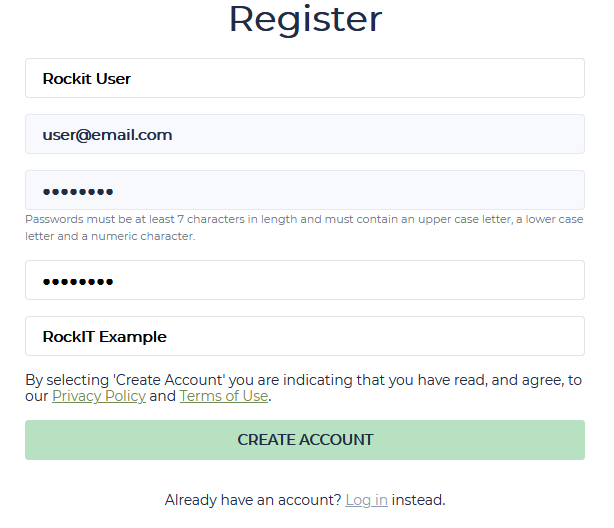
Fig 2. LockVue registration page page via web browser
- And by selecting the 'Register' option in the mobile app

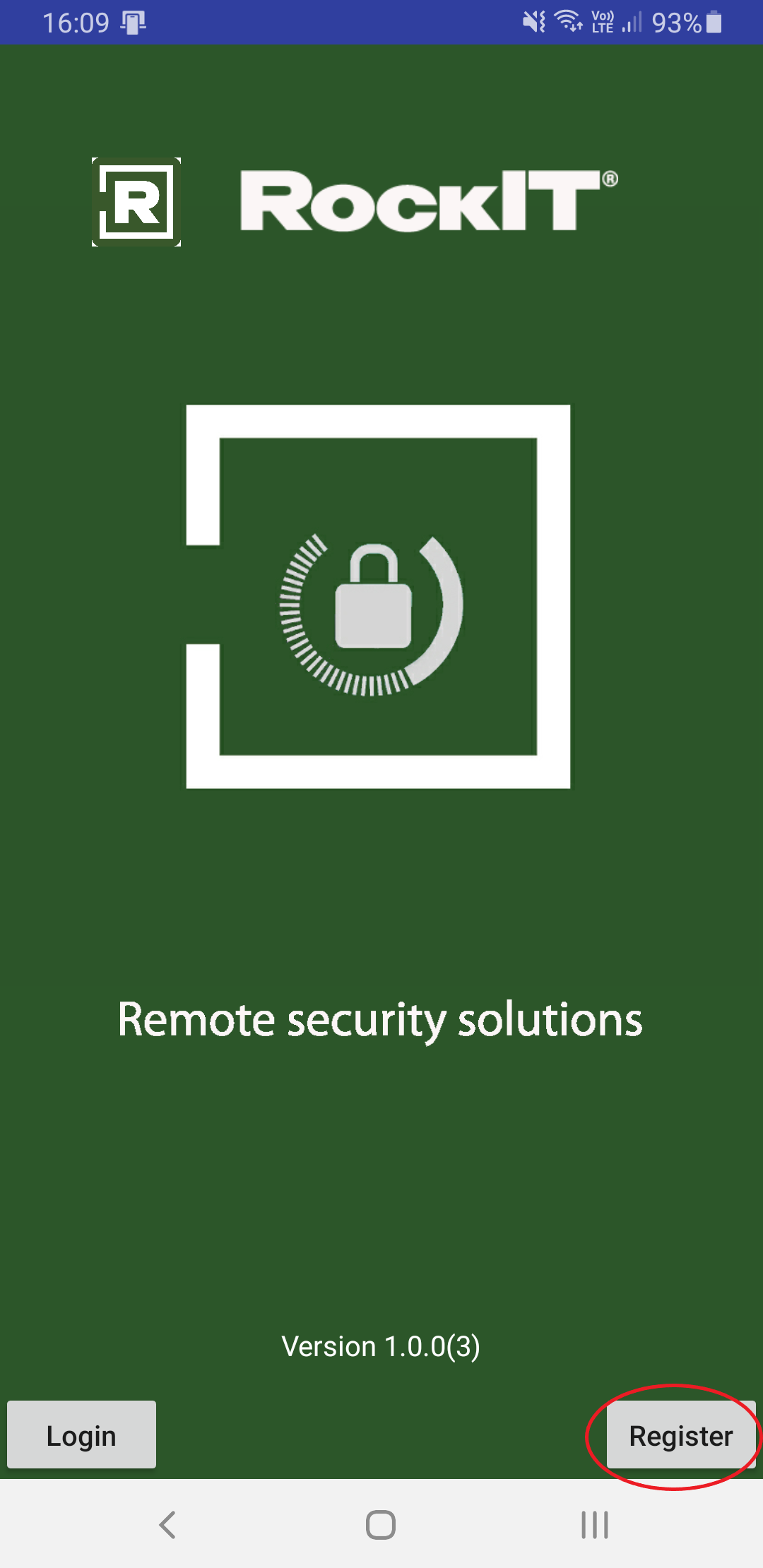
Fig 3. LockVue mobile apps main screen with Register button highlighted. iOS left, Android right
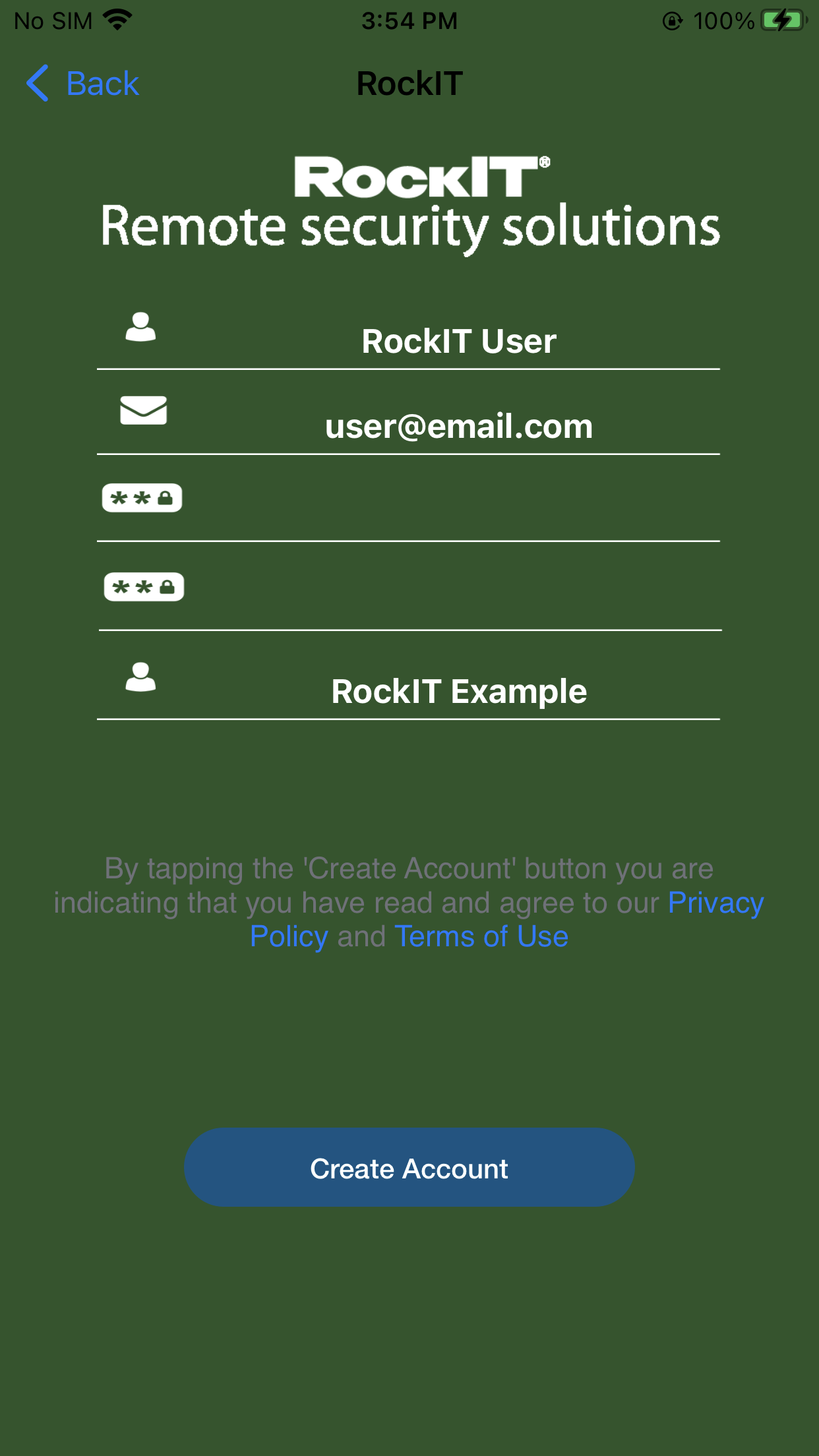
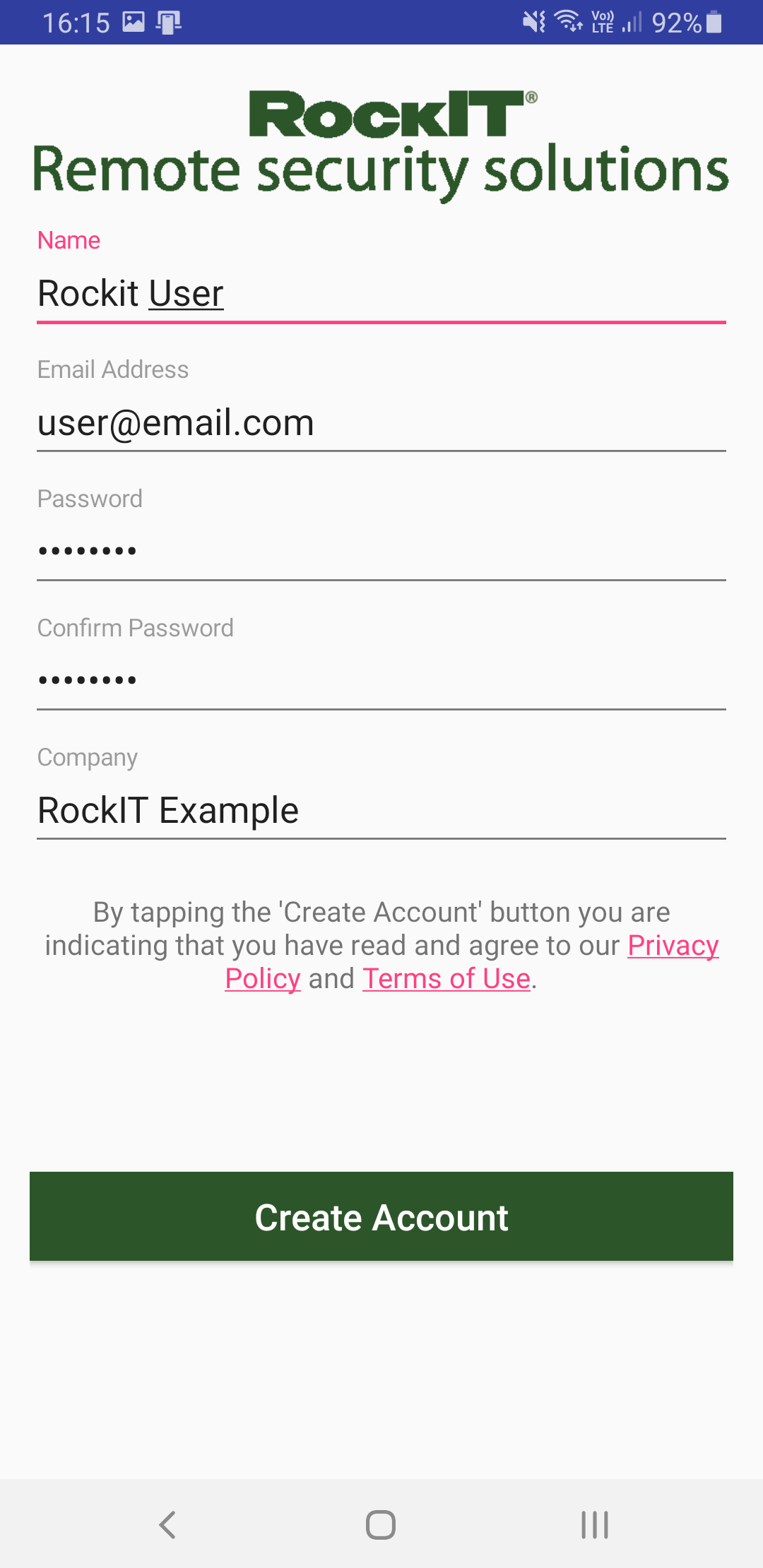
Fig 4. LockVue register pages via mobile apps. iOS left, Android right
Some tips
- Double check your email address for any typographical mistakes
- Passwords need to be at least seven characters and contain at least one each of Uppercase letters, Lowercase letters and Numbers
- Check your email inbox for a "Please verify your email" from RockIT Lock Support
- Click the link in that email to verify your account.
- If you don't see the verification email check your spam/junk folders.
- If you still can't find the email, then please register again ensuring you spell your email address correctly. You can also reset your account. See RockIT Lock login issues
Please note, if you have not yet verified your email address, your first login will prompt you to do so.
If you're having difficulty logging in after registering, your best option is to do an account reset. See RockIT Lock login issues
If you need further assistance please create a support ticket select here