If you're unable to login to either the RockIT Lock web portal or RockIT Lock mobile app it is most likely because of an email address and/or password mismatch.
Your best course of action is to go through the Account Reset process.
RockIT Lock Account Reset
- Select here to bring up the account reset page
- Alternatively, on the login page of the web portal select the "Can't Login?" option.

Fig. 1 RockIT Lock login page via web browser, can't login option highlighted
-
- Or on the login page of the mobile apps select the 'Forgot Password' option
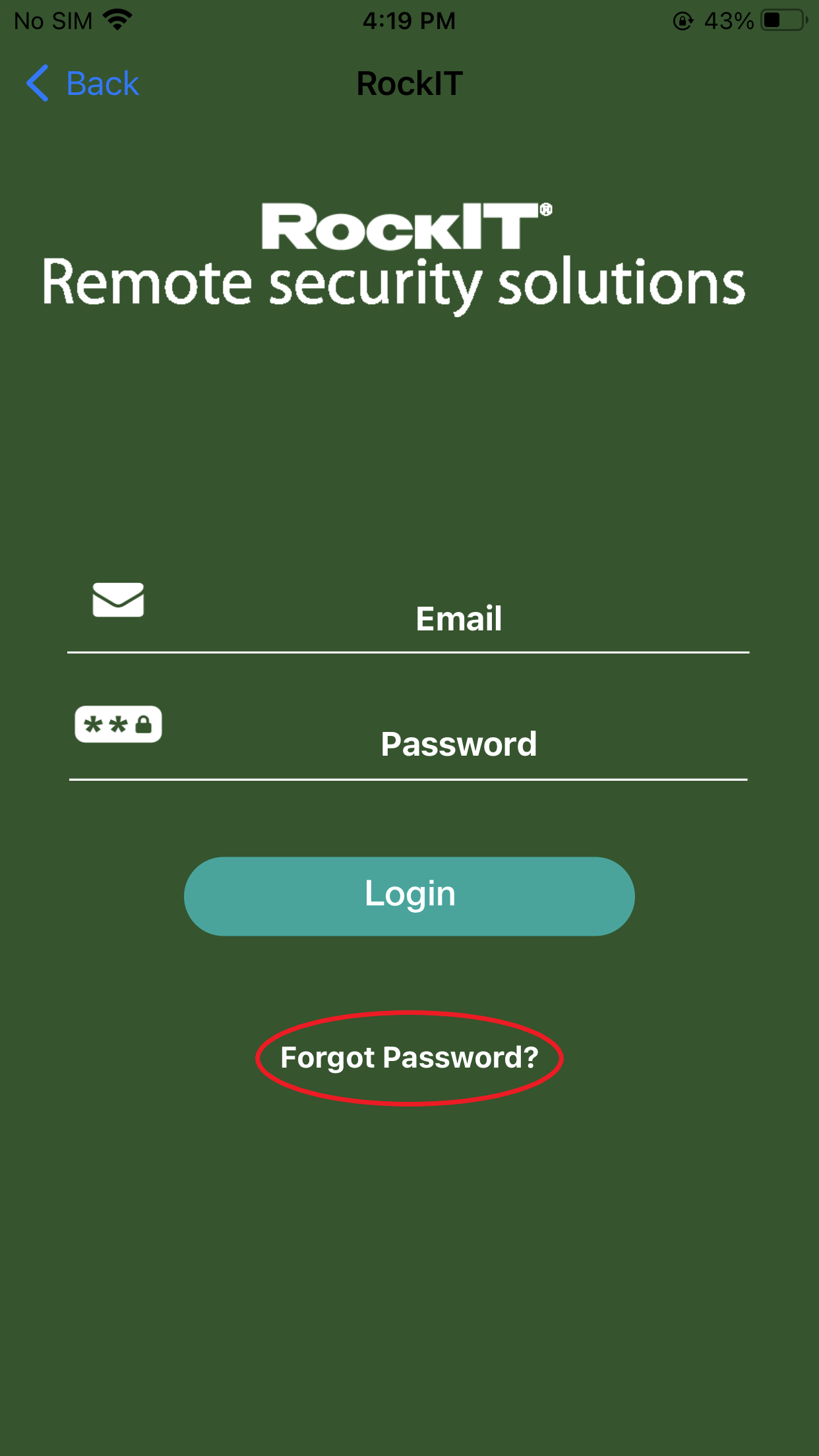
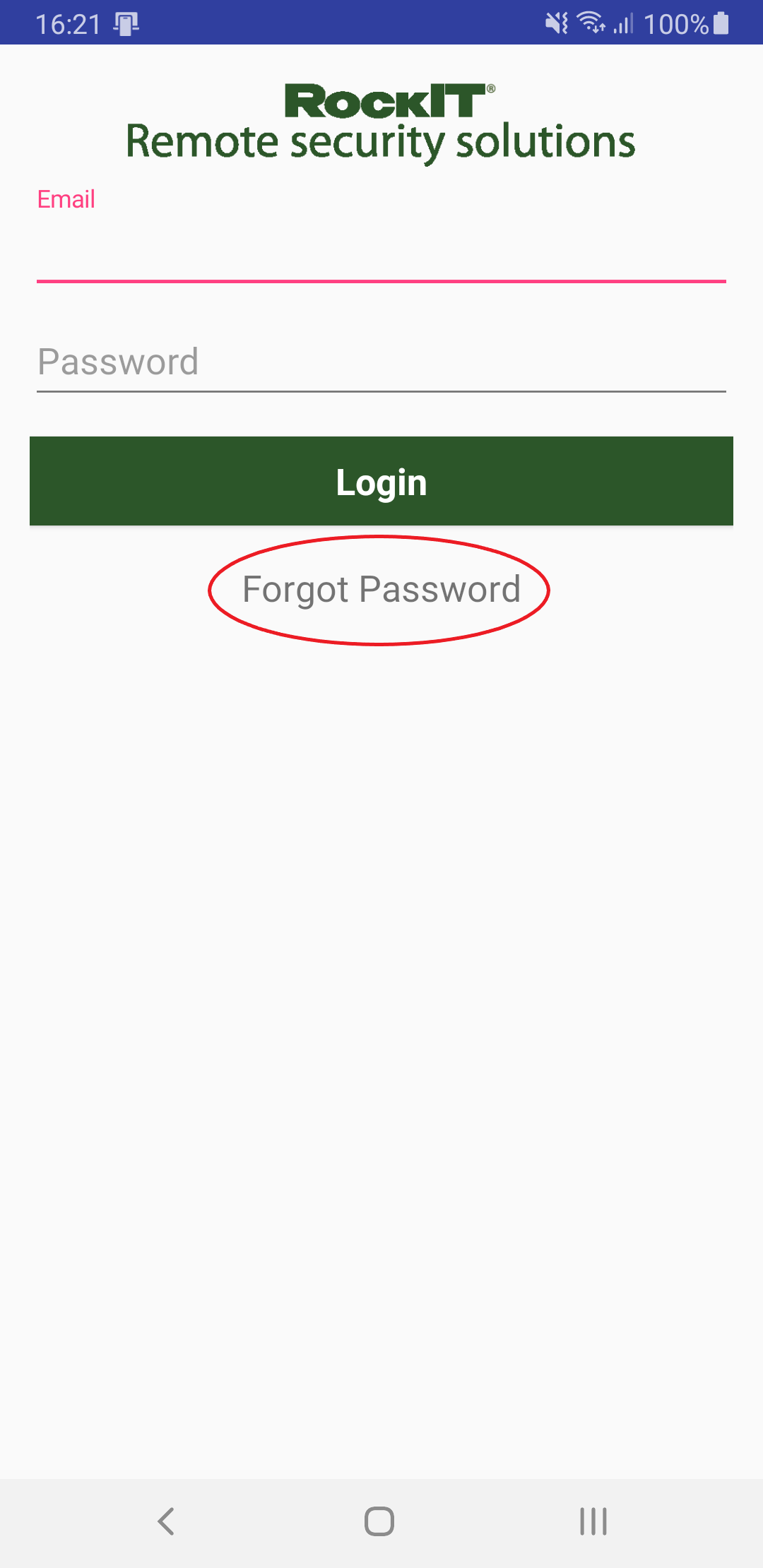
Fig. 2 RockIT Lock login page via mobile apps, forgot password option highlighted. iOS left, Android right
- Enter your email address into the box, taking care with spelling, then click 'Request Password Reset' button
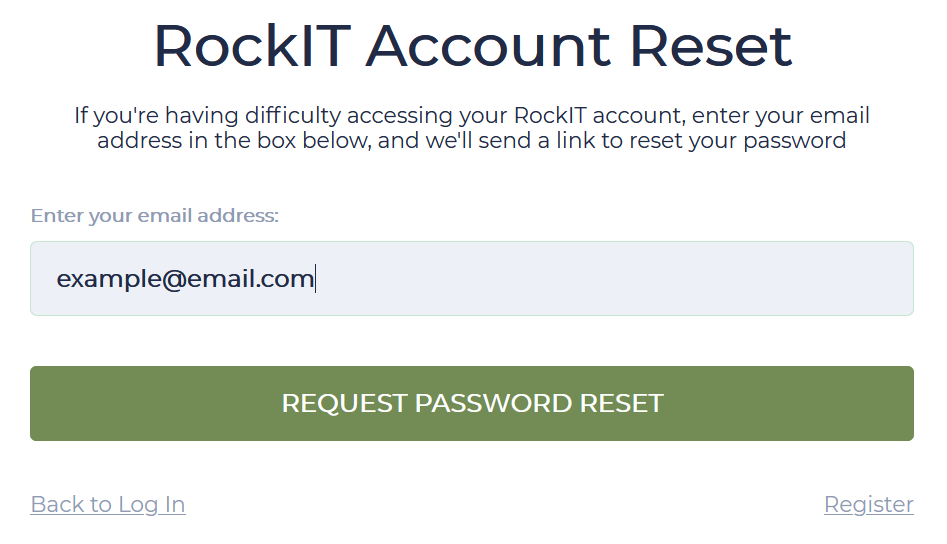
Fig. 3 RockIT Lock account reset page via web browser
- Within a few minutes you should receive a "Reset your password" email from RockIT Lock
- Click the link in that email and type in your email, desired password into the password and confirm password boxes and then select "Reset Account"
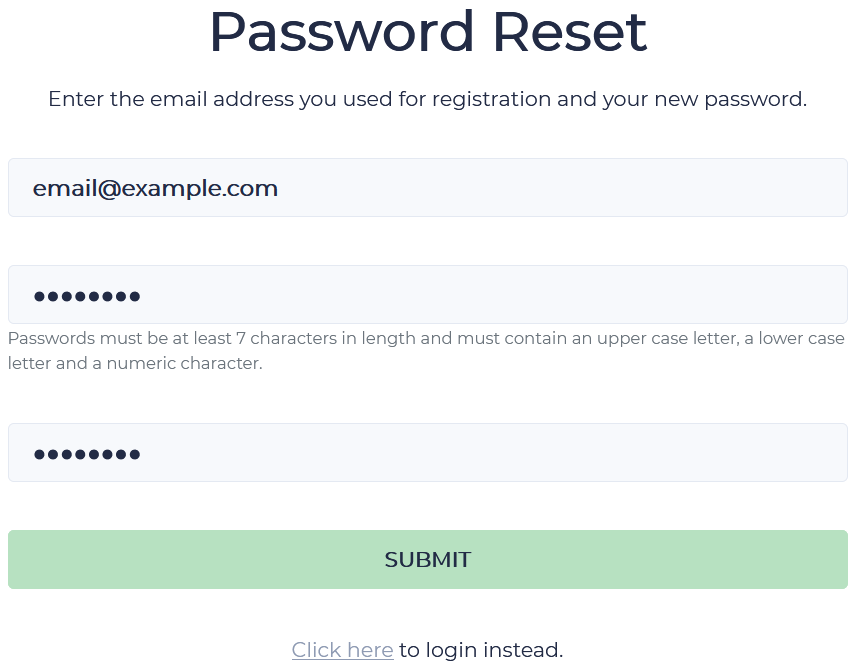
Fig. 4 RockIT Lock Password Reset page. Only accessible via clicking the link in a Password reset email sent by the RockIT Lock system
- Once you see the success message you will be able to sign in to RockIT Lock using the new password
Please note, if you have not yet verified your email address, your first login after the account reset will prompt you to do so.
If you don't receive the Reset your password email from RockIT Lock
If you don't receive the email to reset your password from RockIT Lock try the below options.
- Check your Junk and Spam filters
- If the email is here then you can click the link in the email to complete the process
- Some mail providers may require that you first mark the message as safe
- If an email is not in your email Inbox or Junk/Spam folders, then you likely haven't registered an account with RockIT Lock yet. Go through the registration process. See Registering for a RockIT Lock account
- Also check with your IT and/or Network administrators if emails from support@rockitlock.com are being blocked.
If you need further assistance please create a support ticket select here